
What Works for Me | Everyday Organization
This article contains affiliate links. If you buy through them, I may earn a commission at no extra cost to you. As an Amazon Associate I earn from qualifying purchases.
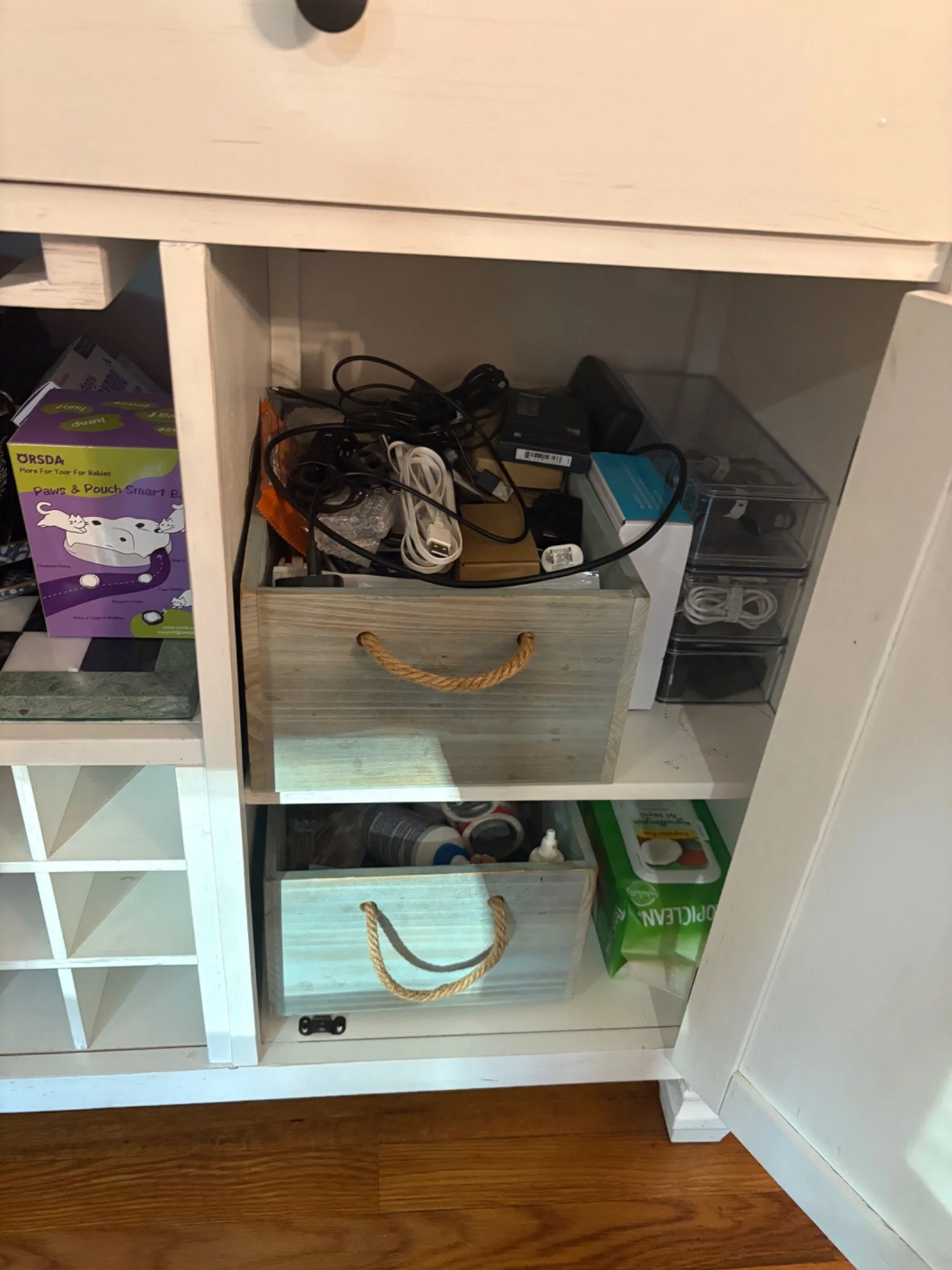
I like to keep spare charging cables and power adapters because older devices sometimes need a connection I cannot replace with the cable from my current phone. The problem is remembering which cord is which when I need one later.
I use small clear bins to separate different kinds of cords. Most were already organized before I recently added labels to the bins. Now I can identify what's inside without opening each one.
A Place for Each Type of Cord
I keep older Apple Lightning cables separate from USB-C cables. Kindle cords, power adapters, and specialty cords have their own places, too. When I need a particular connection, I can start with the right category instead of looking through every spare cable.
I also keep a cable for an older digital camera with an unusual connector. A standard phone cable wouldn't necessarily work in its place, so I keep it with my specialty cords.
Adding Labels to My Storage Bins
I recently used my Brother P-touch to label the fronts of my existing clear bins: USB-C, Kindle, Power Adapters, and Specialty Cords.
The cords were already organized in these containers. This time, I was labeling the bins, not each individual cable.
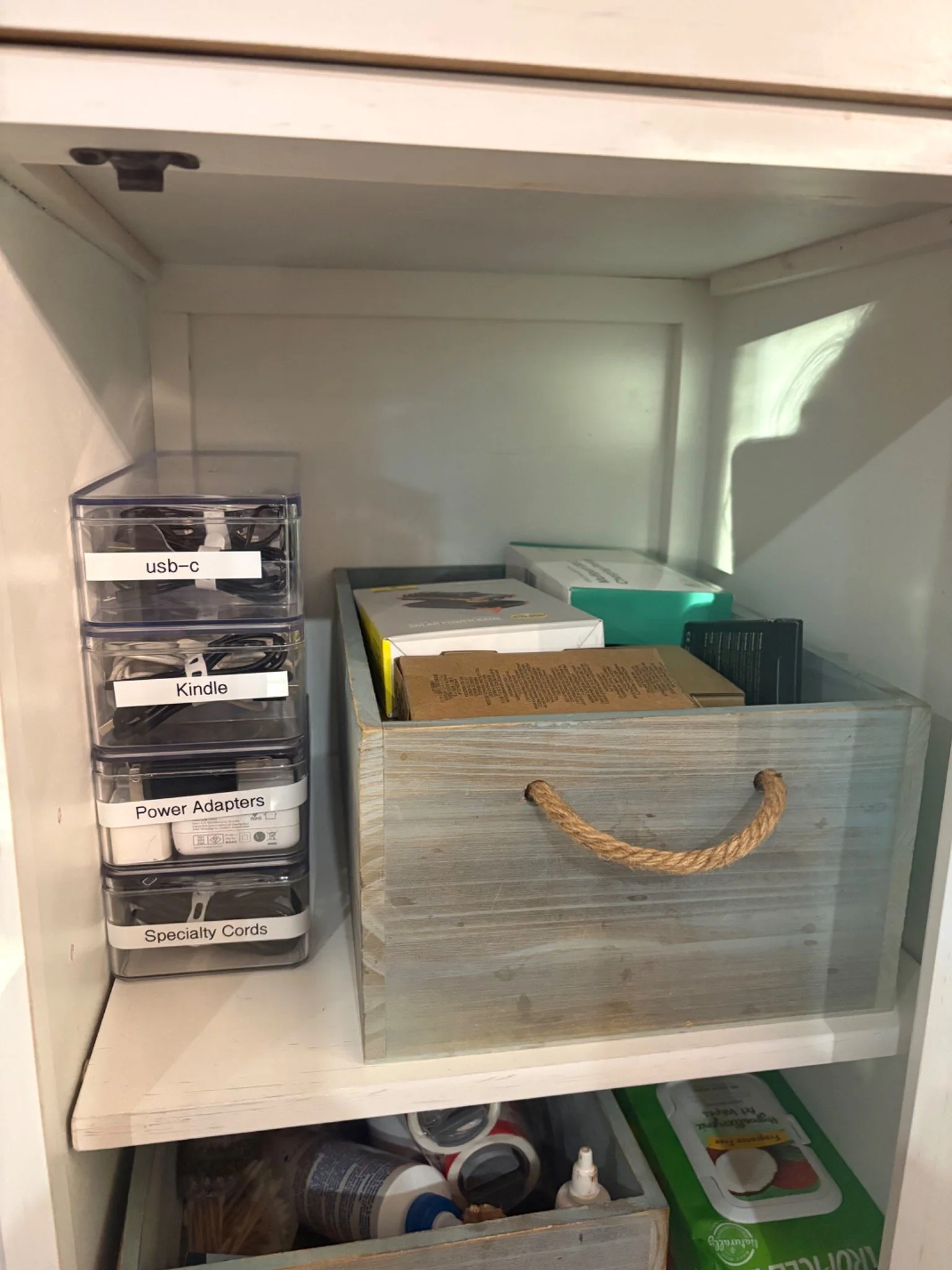
The label maker was easy for me to set up, and inserting the tape was straightforward. I used it as a standalone device, without connecting it to an app or computer. I haven't tested those features.
Brother P-touch label maker (paid link)
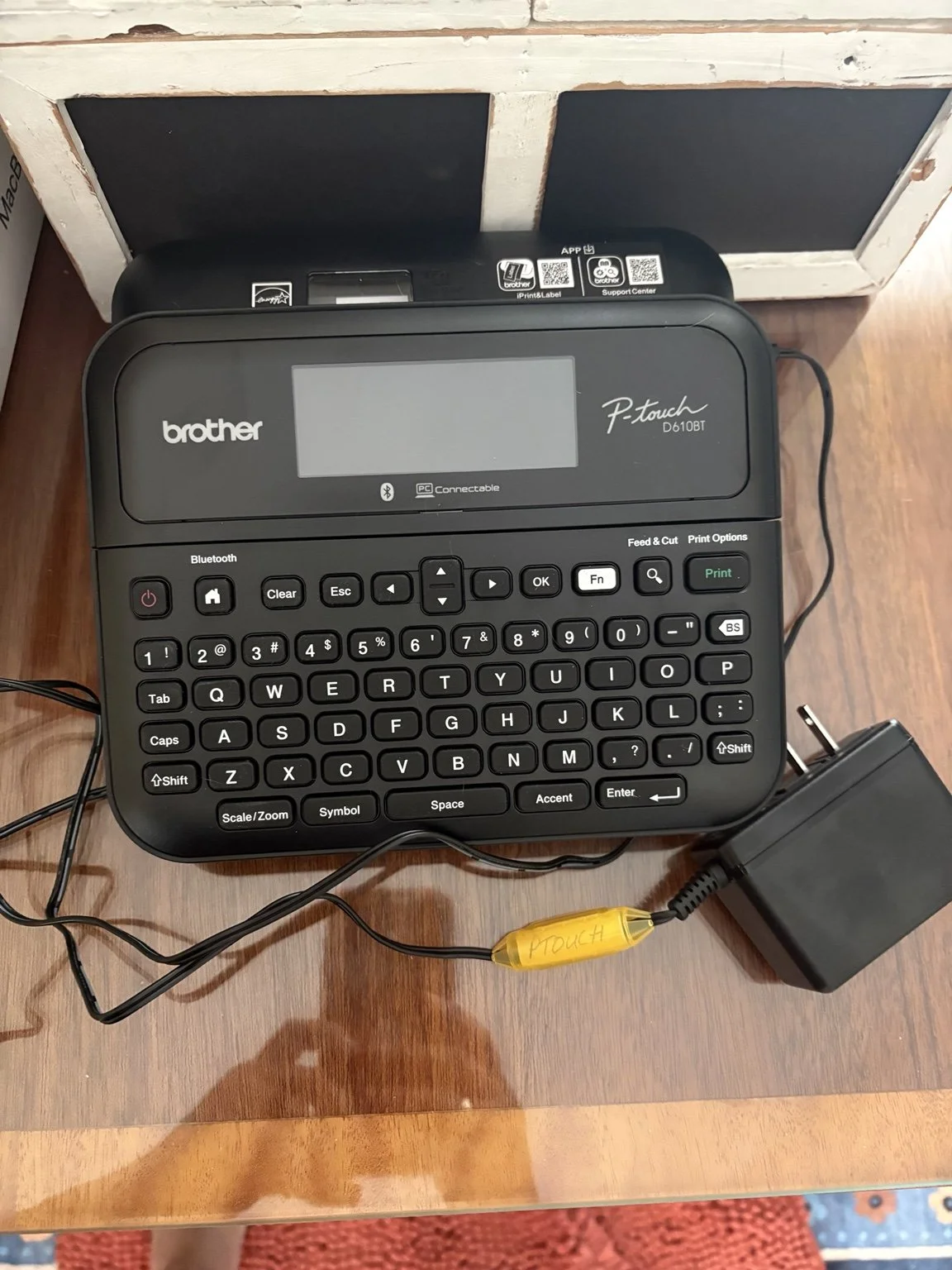
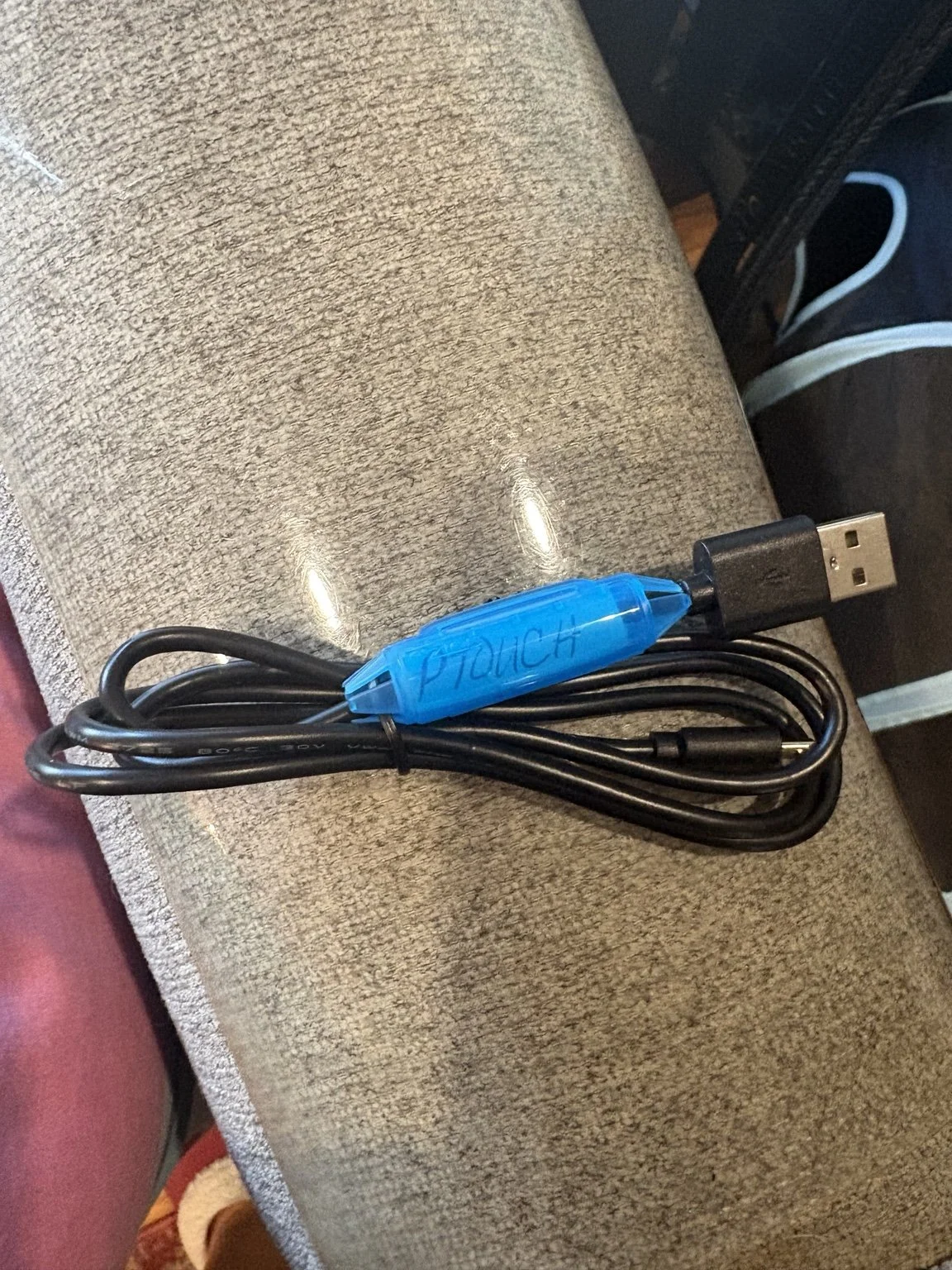
My Brother P-touch label maker and its labeled power cord. I used the label maker as a standalone device to label my cord-storage bins.
Where Labels on Individual Cords Help
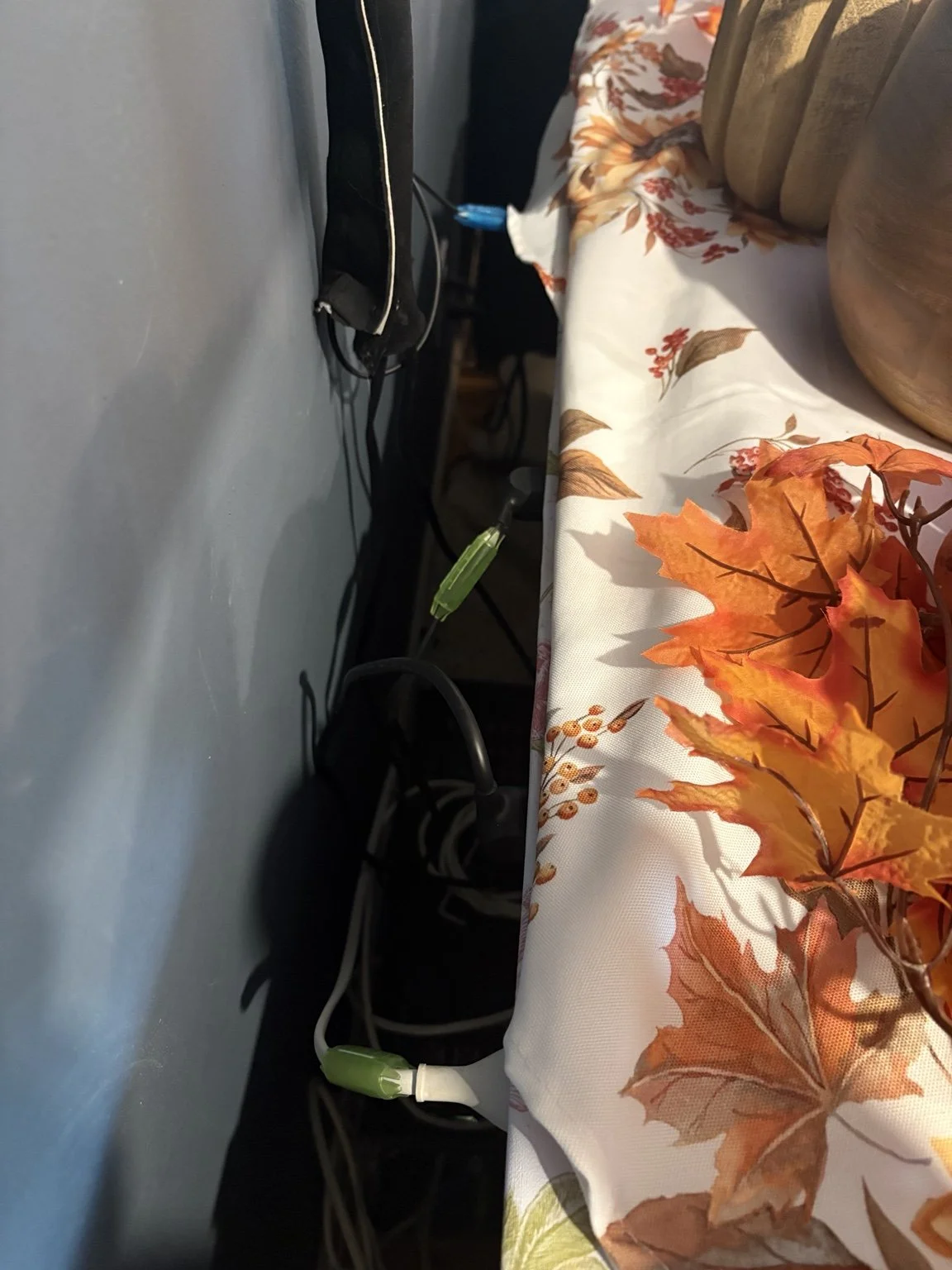
I also label the cords behind my television so I can tell which device each one belongs to. I place each label close to the plug. When I'm behind the TV, I can identify the cord I need without having to follow it all the way back to the device.
I use cable ties to keep cords together and prevent them from getting tangled. Between the ties and the labels, it's easier to identify a cord without sorting through everything.
Cable labels (paid link) | Cable ties (paid link)
My Cord Storage Bins: Pros and Cons
What I like: My current cord bins have lids, stack neatly, and include adjustable compartments. Small plastic dividers can be moved to make each section fit different cords and accessories. I also like that the matching bins stack together as one storage system.
What I don't like: The plastic dividers don't reliably stay in place and tend to shift. Also, because the bins are stacked, I have to remove the bin I need from the stack before I can open it.
Would I purchase these bins again? I'm not sure. The dividers are frustrating, but the bins still work well enough for what I need. If I bought a different organizer, it might not stack neatly with the ones I already own. There is something to be said for keeping a storage system consistent, especially when it is already working reasonably well.
If I were starting from scratch, I would pay closer attention to the interior compartment sizes, how securely the dividers fit, and how easily I could access the contents.
What I Would Do First
Before purchasing storage containers, I would sort the cables into categories and determine how much space each group needs.
A small divided box or an existing drawer may be enough if you only have a few spare cords. Larger power adapters and unusual connectors may require more room.
Another option is to label each individual cord and store them together in one larger bin. That might work just as well if you don't want several separate containers.
When I get a new cord or charger, I try to store it with others that have the same type of connection. If it belongs to a particular device or has an unusual connector, I label it so I won't have to guess what it's for later.
For now, I'm keeping the storage bins I already own. Adding clear labels was a simple improvement that made my existing system easier to use.